Frequently Asked Questions
Honest answers to the questions that matter most.
Mortui doesn't make a snap judgment. It follows a deliberate, multi-step process designed to minimize false positives before any action is taken.
-
Anomaly Detection
The app continuously collects behavioral data — app usage, screen activity, physical movement, and circadian rhythms — in 15-minute intervals. Every day at 2 AM local time, it compares your recent behavior against your established baseline using statistical analysis.
-
Consecutive Suspicious Days
A single anomalous day won't trigger anything. The app requires multiple consecutive days of significant deviation from your normal patterns before it considers escalating. This filters out sick days, vacations, and forgetful weekends.
-
Grace Period
If the threshold is met, Mortui doesn't immediately execute. It starts a grace period of at least four hours — extended, if needed, until an hour past the time you normally wake up and sends a full-screen alert to your device — waking the screen, showing over the lock screen, and bypassing Do Not Disturb. All you need to do is check in with your PIN or biometrics to cancel.
-
Someone May Be Asked to Check on You
If you have verified emergency contacts, and roughly four hours pass with no check-in, each of them gets one text from your phone asking them to call you or check on you. With a contact in place the grace period runs twelve hours instead of four whenever the battery allows, so a person has time to reach you. The moment you check in, everyone who was texted gets an all-clear.
-
Check-in Cancels Everything
Checking in stops the trigger. If you confirm from the alert itself, the countdown is canceled and the alert clears immediately. If you instead open the app and confirm there, the alert stays on screen until the timer runs out — but nothing will be executed, because the app re-checks for a check-in before it acts. If you don’t check in at all, that final verification is what lets it proceed.
-
Phased Execution
Only after all checks fail does Mortui execute your configured actions — and it does so in a deliberate order. File deletions run first. Then messages are delivered to your designated recipients, with any vault files you attached. Finally the vault itself is erased — every file in it, whether or not a recipient was set to receive it. Each phase runs independently, so a failure in one doesn’t block the others.
Two different groups of people, at two different moments, through two different channels. Keeping them apart is deliberate.
Emergency contacts hear from you first. These are up to three people you can name in Configuration by typing in a mobile number — Mortui never reads your address book. When you add one, you tap Verify and they receive a single text from your phone saying you listed them as an emergency contact, that they might one day get one message asking them to call this number, and that nothing is needed now. A contact who was never verified is never contacted again.
Later, if a countdown runs four hours with no check-in from you, each verified contact gets one more text asking them to call you or check on you. You choose the wording from three presets or write your own, and the app shows you exactly what will be sent. The message never names Mortui, never suggests you have died, and never includes your location — it asks a person to make a phone call, nothing more. Because it comes from your own phone, the number they see is yours, and that is the number they ring. The moment you check in, everyone who was texted gets an all-clear.
Recipients hear from you last. These are the people you wrote final messages for. They receive nothing until the grace period has fully run out with no check-in. Then they get the message you wrote for them, with any vault files you attached, by email from your own account. Recipients are never texted, and emergency contacts never receive your files or your letters. The same person can be both, but they are two separate entries and two separate messages.
Emergency contacts are the reason Mortui asks for Android’s permission to send SMS, and it asks only when you verify your first contact. That is the only thing the permission is used for: Mortui holds no permission to read or receive texts, and no access to your call log. Standard carrier messaging rates apply. If you would rather not add anyone, skip it — every other part of the app works without it. You can rehearse the whole thing from Test Mode, which sends a message clearly labelled as a test.
The phone you carry with you and unlock without thinking about it. Not a tablet, not a spare handset, not a device you share with the family. This is the most consequential decision you make when setting Mortui up, and it is worth getting right the first time.
Mortui has no way of knowing you are alive except that you keep using the device it is installed on. That single assumption is what everything else rests on:
- The app reads your silence, not your presence. On a phone you unlock dozens of times a day, a long stretch of nothing is genuinely unusual. On a tablet you pick up on Sundays, six untouched days are just Monday through Saturday — and the app cannot tell those two situations apart.
- The inactivity threshold assumes daily use. Mortui watches for a stretch with no screen unlocks — 16 hours by default, adjustable between 8 and 24. On the device you actually carry, you would have to be genuinely unreachable to cross that line. On a device you use once a week, you would cross it most days of the week.
- The alert still has to reach you. When a countdown starts, Mortui wakes the screen and shows a full-screen alert over the lock screen, bypassing Do Not Disturb. That is a reliable way to get your attention only if the device is near you. A phone in your pocket gets noticed; a tablet in a drawer does not, and the grace period runs out with nobody there to cancel it.
- The training period will not correct for it. Mortui spends 14–21 days learning your patterns, and it will finish on any device — it collects in the background whether or not you touch the screen. A rarely used device still produces a complete baseline. It just isn't a baseline that describes a living person's day.
A useful test before you install: if this device went missing right now, would you notice within a few hours? If the honest answer is “probably by the weekend,” it is the wrong device for Mortui.
If you go ahead on a device you do not carry anyway, turn off “I use this device every day” in Configuration. That switches off the quick inactivity check described above, so a quiet weekend cannot start a countdown on its own. Mortui then relies only on the slower analysis — changes in your behaviour over several consecutive days — which is a fair trade on a spare device, and a bad one on your main phone.
Mortui supports both biometrics and PIN — but we strongly recommend setting up a PIN, and here's why.
Consider the scenario Mortui is built for: you're incapacitated, or worse. If someone has physical access to your body, they potentially have access to your fingerprint or face. A fingerprint can be pressed to a sensor. A face can be held up to a camera. Biometrics authenticate who you are — but they can't verify that you're the one choosing to authenticate.
A PIN lives only in your head. It can't be extracted from an unconscious or deceased person. No one can hold your hand to a keypad and guess the right sequence. This makes it the most reliable way to prevent someone from opening Mortui and disabling your configured actions — deleting the files you wanted destroyed, canceling the messages you wanted sent, or viewing what you've set up.
Biometrics are still available as a convenience for everyday use. But when it comes to the moment that matters most, a PIN is the lock that only you can open.
Mortui uses pure statistical analysis — z-scores, equal metric weighting, and baseline profiling — instead of machine learning or AI. This is a deliberate choice, not a limitation.
Transparency. Statistical methods are deterministic and explainable. When Mortui flags something as anomalous, you can trace exactly why: which metric deviated, by how much, and against what baseline. There's no black box. No hidden weights. No model that "just decided" your behavior was suspicious.
Privacy. AI models — especially good ones — need training data. That means either sending your behavioral data to the cloud for processing, or running a resource-heavy model on-device. Mortui does neither. The math runs locally, efficiently, and never needs to phone home. Your patterns stay on your device, period.
Reliability. Your baseline is built from your training period and then stays fixed. It never quietly adjusts itself, because a slow decline in activity would simply become the new normal and Mortui would stop noticing. If your routine genuinely changes — a new job, retirement, a move — Rebuild Baseline relearns it from your last few months of recorded behaviour with no retraining period and no gap in coverage, and Reset Training Data is still there if you want to start over from nothing. Statistics don't hallucinate, overfit to noise, or degrade unpredictably after an update. The same input will always produce the same output — which is exactly what you want from an app that might one day decide whether to execute your final wishes.
No dependencies. No model files to download or update. No inference engine to maintain. No risk of a third-party model change altering how your behavior is interpreted. The analysis engine is self-contained, auditable, and will work the same way years from now as it does today.
Yes — always.
Mortui is a one-time purchase, but updates are delivered through Google Play just like any other app on your device. When we ship a bug fix, security patch, or new feature, it goes out to every user through the standard Google Play update mechanism. No subscription check, no paywall on updates.
If you have automatic updates enabled on your device, you'll receive them without lifting a finger. If you prefer manual updates, they'll be waiting for you in the store whenever you're ready.
An app that manages your digital estate should never stop working because a payment lapsed. You paid once — the app is yours, updates included.
No — Mortui is Android only, and there are no plans for an iOS version. This isn't a resource or timeline issue. It's a platform limitation.
Mortui's core functionality depends on capabilities that iOS deliberately restricts for third-party apps:
- No persistent background execution. Mortui's monitoring service runs continuously in the background, collecting behavioral data every 15 minutes. iOS kills background apps within seconds and offers no reliable equivalent. The system-scheduled alternatives are irregular and entirely at iOS's discretion.
- No access to app usage or screen activity. The majority of Mortui's behavioral signals — which apps you use, how often you unlock your phone, screen-on time, keyboard activity, and sleep/wake patterns — come from APIs that simply don't exist on iOS. Apple doesn't allow apps to monitor other apps' usage.
- No programmatic file access. On Android, Mortui can delete the files you designate automatically in the background. iOS requires user interaction for file operations — which defeats the purpose of an app designed to act when the user can't.
- No auto-start after reboot. Android restarts Mortui's monitoring service automatically after a device reboot or app update. iOS has no mechanism for this — monitoring would silently stop until you manually reopen the app.
An iOS version would need to be a fundamentally different product — server-dependent, with far fewer behavioral signals, and significantly less reliable at detecting incapacitation. Rather than ship a compromised version that can't deliver on the core promise, Mortui remains Android-exclusive where the platform allows it to work as designed.
You can install Mortui on a new phone, but your training history, recipient list, emergency contacts, and vault files don't transfer. Think of it as a fresh start — by design.
This is a deliberate choice, for three reasons:
- Your data is locked to your device. Mortui encrypts everything on your phone using a key that never leaves the device's secure hardware. There's no master password to recover, no cloud backup to restore from, and no export file sitting around that someone could steal and decrypt later. That security guarantee would weaken the moment we built a "move to new phone" button.
- A new phone behaves differently anyway. Mortui learns your habits from sensors, screen usage, and how you handle the device. A new phone is usually a different size, a different weight, with different sensors — which means you'll grip it differently, carry it differently, and unlock it at slightly different times. The old baseline wouldn't fit the new phone, even if we ported it over.
- Retraining is short, and phone upgrades are rare. Mortui needs about 14–21 days to learn your normal patterns. Most people replace their phone once every few years, so the tradeoff — a few weeks of retraining in exchange for permanently device-bound encryption — is very much worth it.
If you know a phone upgrade is coming, keep the old device running alongside the new one for the first few weeks. Your old phone continues monitoring while the new one learns, so you're never left unprotected.
See it done
If a question above is really "how do I…", one of these four short walkthroughs probably shows it.
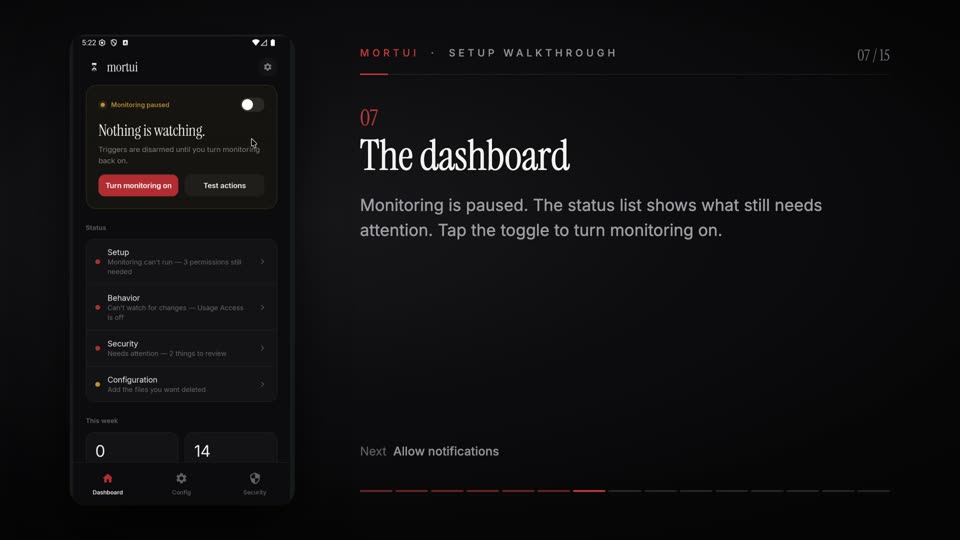 1:07
1:07 Setup walkthrough
Fresh install to monitoring on: onboarding, the permissions Android asks for, and training.
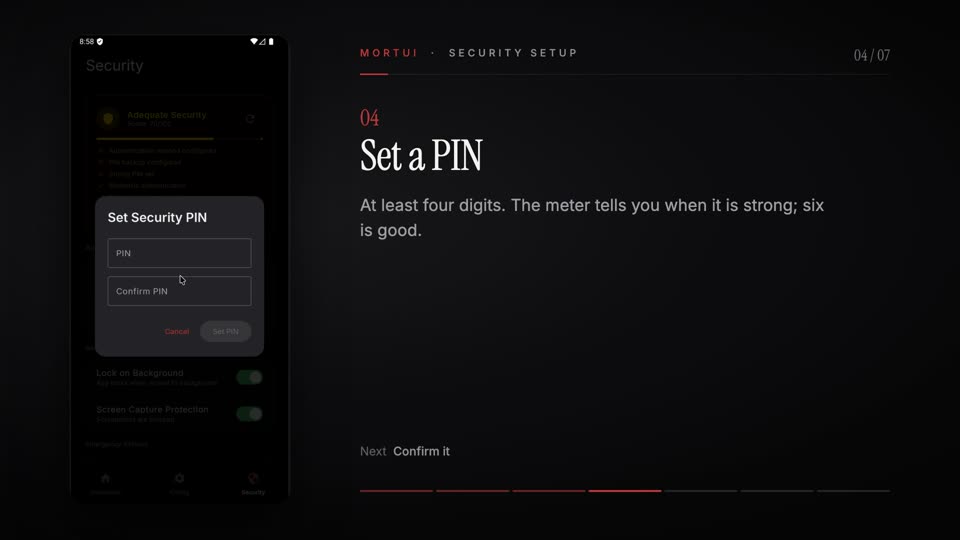 0:39
0:39 Security setup
The one-time recovery code, setting a PIN, and what the PIN protects.
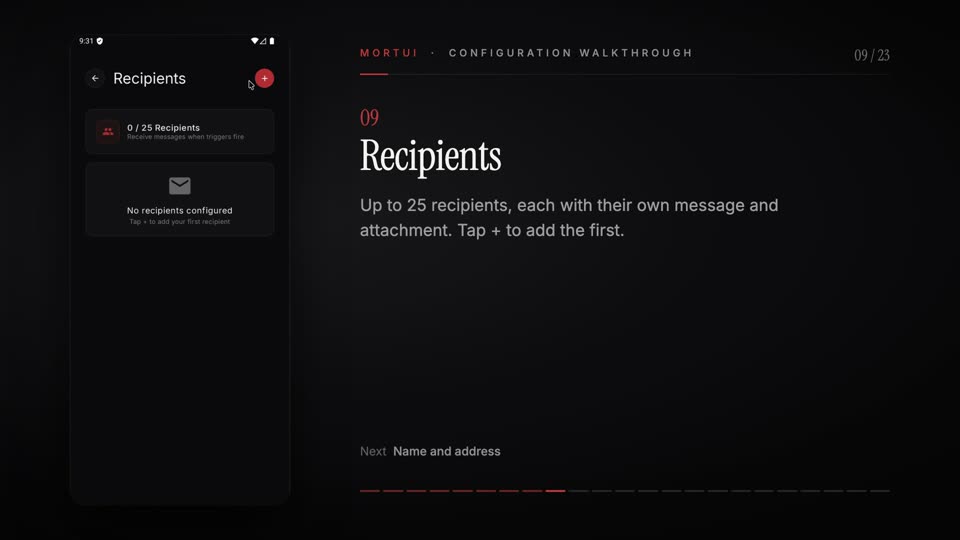 3:36
3:36 Configuration walkthrough
Connect an email account, add recipients and their messages, use the vault, choose files to delete.
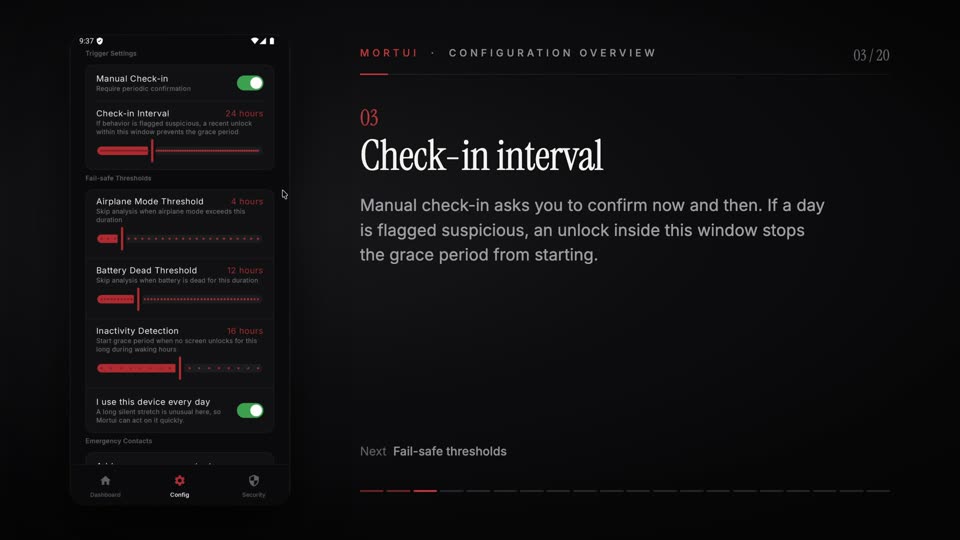 2:24
2:24 Configuration overview
Every trigger setting explained, vacation mode, and adding an optional emergency contact.
Videos open on YouTube. Nothing from YouTube loads on this page until you click. All Mortui videos →